System requirements
Melon Bounce system requirements
A mid-range PC from 2023 runs Melon Bounce comfortably: it asks for 2 GB of RAM and 0.24 GB of storage.
Full controller support
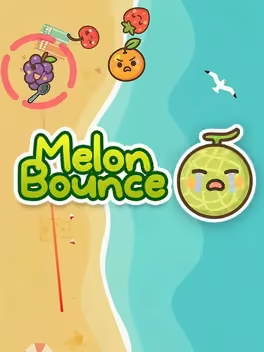
Inspired by the Suika Game, this game offers a completely new kind of fun with billiard-style gameplay. Adjust the angle and power to bounce the cute fruits like billiard balls, merge them, and create a melon!
| Minimum | Recommended | |
|---|---|---|
| OS | Windows 10, Windows 11, Window 7 SP1 or Higher | — |
| Processor | Intel Core i3 or higher | — |
| Memory | 2 GB RAM | — |
| Graphics | GPU with DirectX 10 or higher support (e.g., Intel HD Graphics 4000 or above) | — |
| Storage | 250 MB available space | — |
| DirectX | Version 10 | — |
Storage
0.24 GB
Questions and answers
- What are the system requirements for Melon Bounce?
- A mid-range PC from 2023 runs Melon Bounce comfortably: it asks for 2 GB of RAM and 0.24 GB of storage.
- Does Melon Bounce have controller support?
- Full controller support
- How much RAM does Melon Bounce need?
- 2 GB RAM
- What graphics card does Melon Bounce need?
- GPU with DirectX 10 or higher support (e.g., Intel HD Graphics 4000 or above)
- How much storage space does Melon Bounce need?
- 250 MB available space
Melon Bounce
More about this game
Browse