System requirements
Capcom Go! Apollo VR Planetarium system requirements
A mid-range PC from 2023 runs Capcom Go! Apollo VR Planetarium comfortably: it asks for 4 GB of RAM and 10 GB of storage.
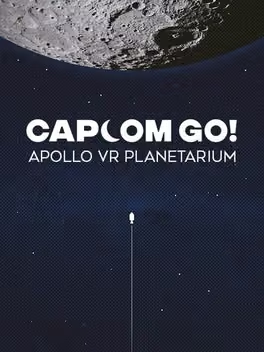
Take a seat and immerse yourself in a 3D dome movie. Explore the interactive planetarium controls to discover stars, constellations, holograms and lasers! Celebrate the 50th anniversary of humans first walking on the Moon.
| Minimum | Recommended | |
|---|---|---|
| OS | Win 10 | Win 10 |
| Processor | Intel i5-4590/AMD Ryzen 5 1500X or greater | Intel i5-4590/AMD Ryzen 5 1500X or greater |
| Memory | 4 GB RAM | 4 GB RAM |
| Graphics | NVIDIA GTX 970 4 GB/AMD Radeon R9 290 or greater | NVIDIA GTX 1060/AMD Radeon RX 480 or greater |
| Storage | 10 GB available space | 10 GB available space |
Storage
10 GB
Questions and answers
- What are the system requirements for Capcom Go! Apollo VR Planetarium?
- A mid-range PC from 2023 runs Capcom Go! Apollo VR Planetarium comfortably: it asks for 4 GB of RAM and 10 GB of storage.
- How much RAM does Capcom Go! Apollo VR Planetarium need?
- 4 GB RAM
- What graphics card does Capcom Go! Apollo VR Planetarium need?
- NVIDIA GTX 970 4 GB/AMD Radeon R9 290 or greater
- How much storage space does Capcom Go! Apollo VR Planetarium need?
- 10 GB available space
Capcom Go! Apollo VR Planetarium
More about this game
Browse